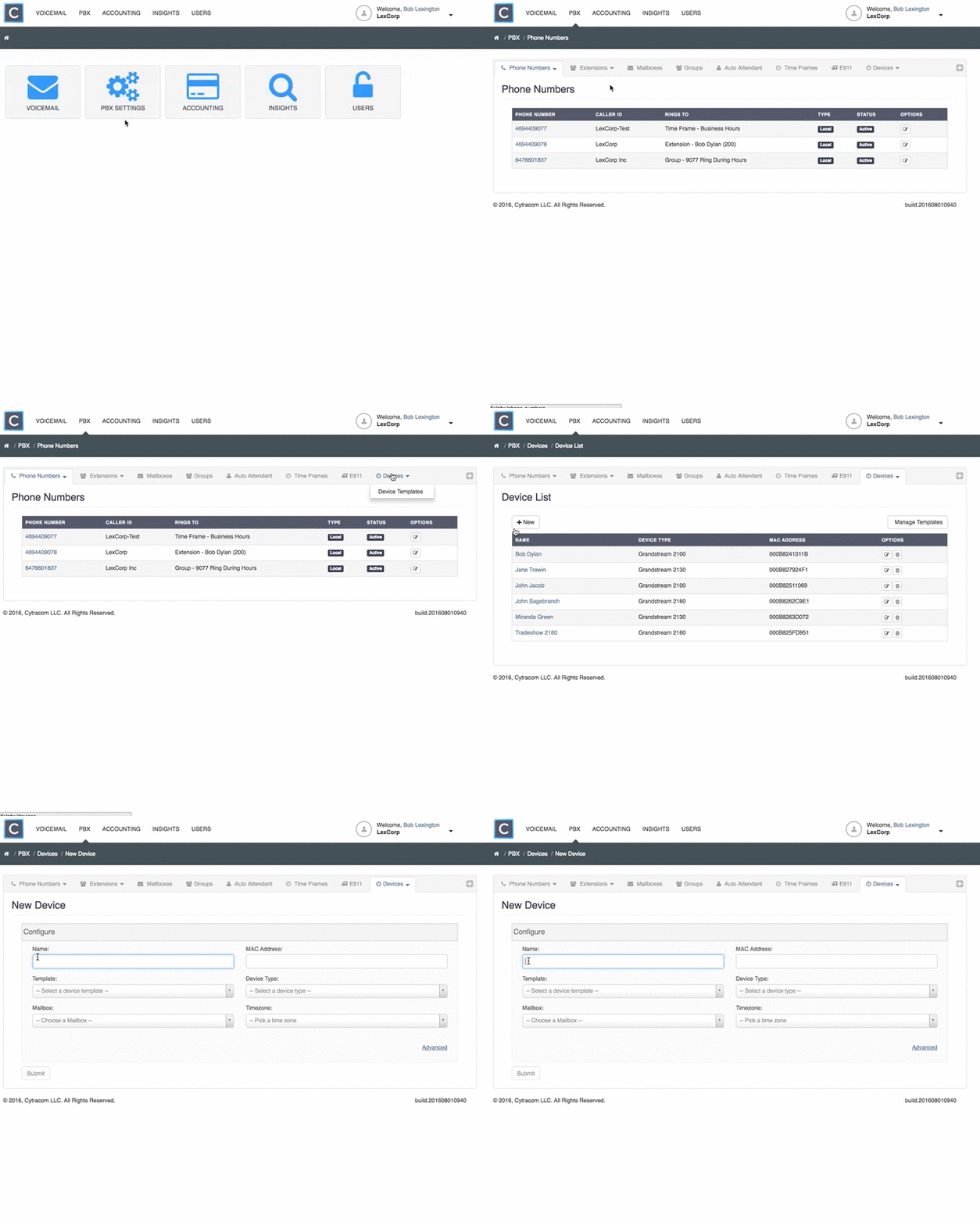
The hardware associated with an extension in the PBX is referred to as a Device. An extension may have up to two devices associated with it. Manage these devices in Cytracom’s PBX.
Creating a Device
Choose Deviceon the main menu bar of the PBX.- Click
+ New. - Name the device. (i.e. John’s cell phone)
- Key in the 12 character
MAC addresswith no spaces or colons that is on the back of the device. - Select a device template.
Select the devicetype.Select the mailboxthat the device is associated with.Select the time zonefor the device.Select the extensionto associate with the device. Use 1 as the Account Number.- Configure Multi-Purpose-Keys if needed in the next section.
- Click
Submit.
Note: This feature only pertains to Grandstream phones at this time.