
Extension Mapping allows for a more efficient way to internally call or transfer calls to any destination on the system.
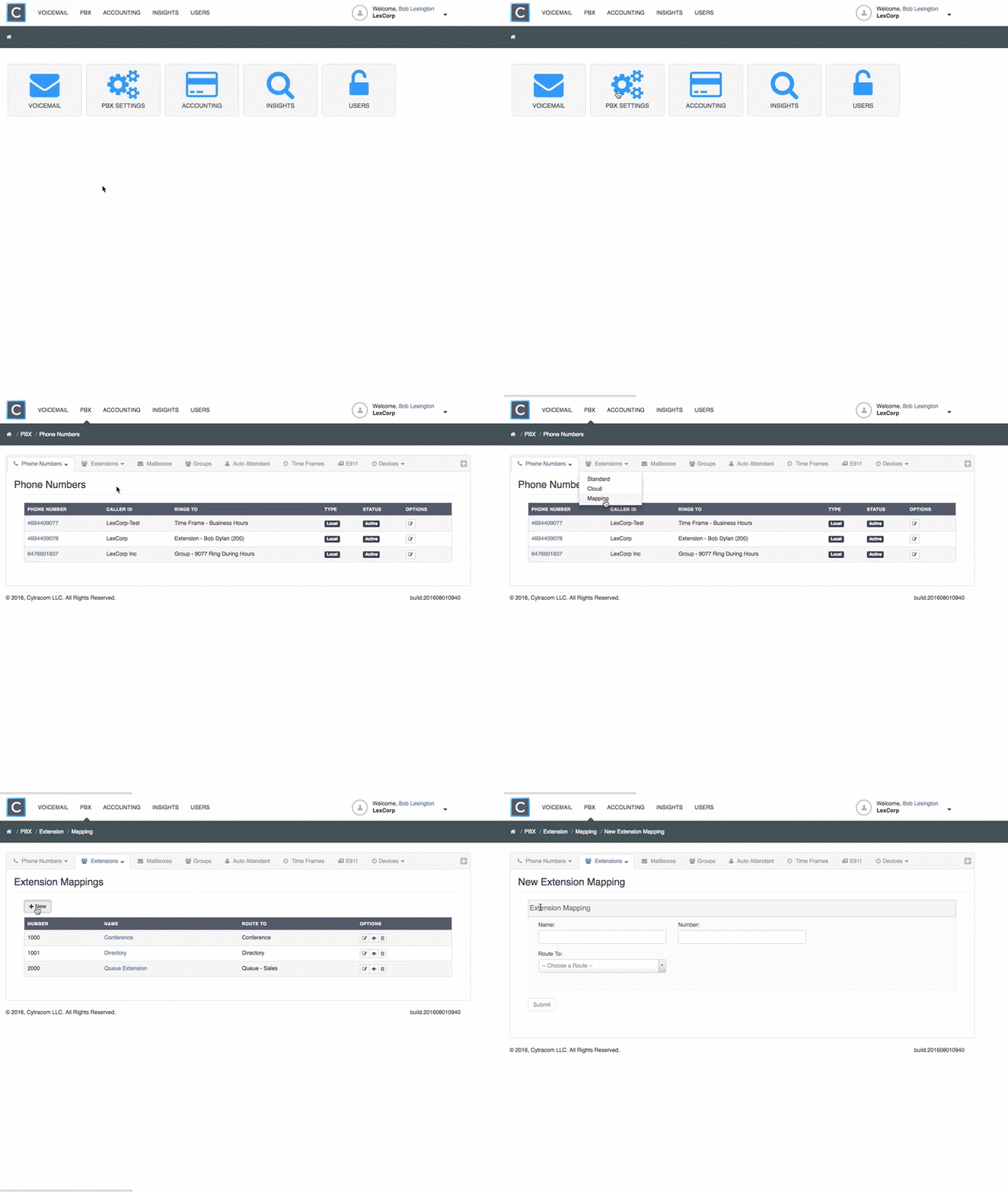
Creating a Mapping:
- Go to the PBX tab, click the
+on the right side of the menu bar. - Under Extensions, click on
Mapping. - Click
+ New. Enter a name.Enter a numberthat will activate the Mapping.Choose a route type and destinationfrom the drop-down menu(s).- Click
Submit.
Note: Mappings cannot be dialed by an outside caller.