
Hold music can be customized easily on the Cytracom system. It allows playing of individualized hold music to different parties based on the direction of the call (inbound/outbound) or to callers dialing a specific number.
Note: A .wav file or .mp3 track under 80MB may be used. In order for it to play smoother, convert it to mono instead of stereo.
To create the group:
- Once in the PBX, expand the menu by pressing the
+on the right side of the menu bar. - Click on
Hold Music. - Click
+ New. Namethe group and select outbound calls as well if desired.- Click
Save.
To add a track to the group:
- Click
Add a Track. Namethe track, thenUploadthe .wav or .mp3 file.- Click
Save.
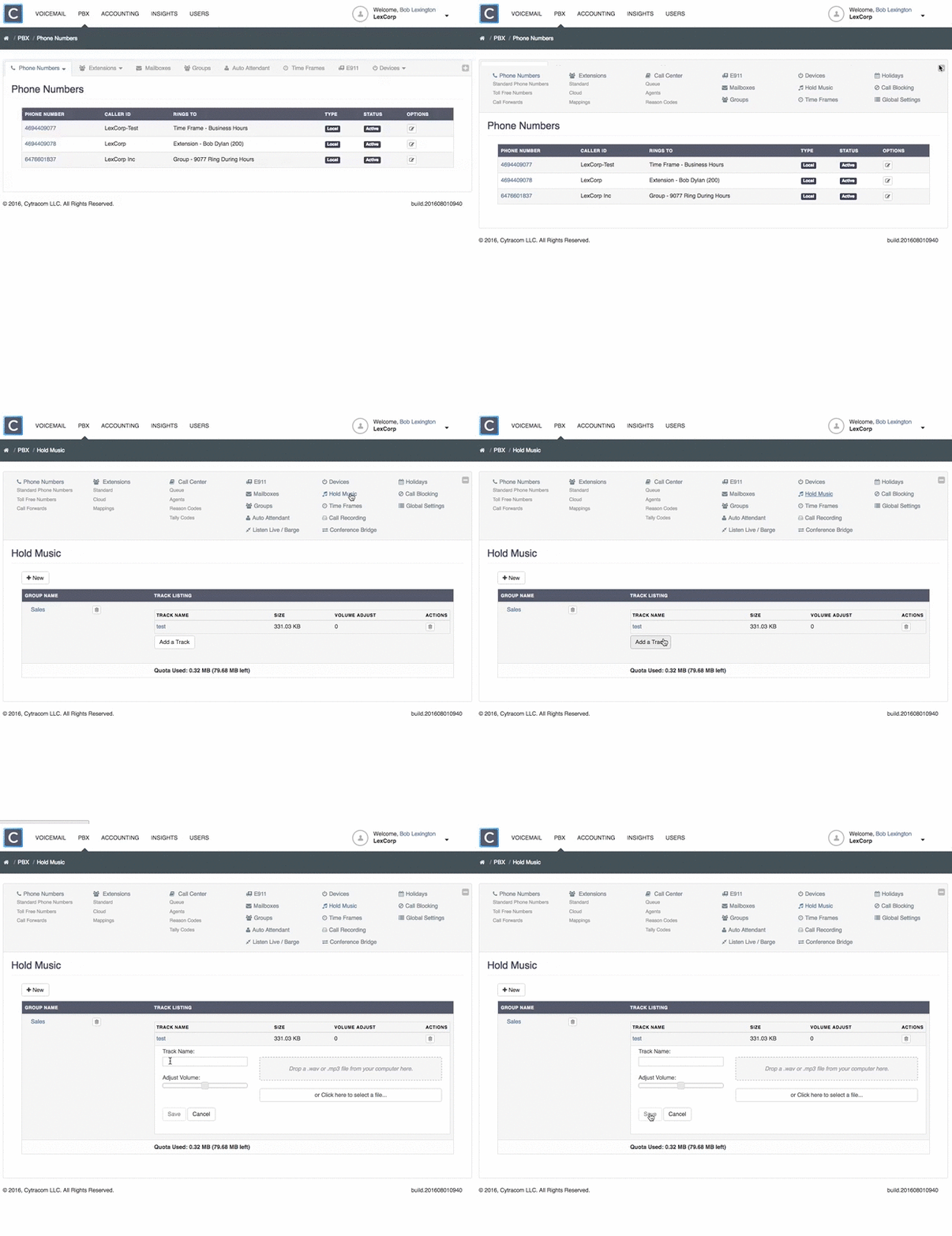
Now that there is a group with a track, the group can be assigned to selected phone numbers in the PBX. Assign a Hold Music Group to a Phone Number