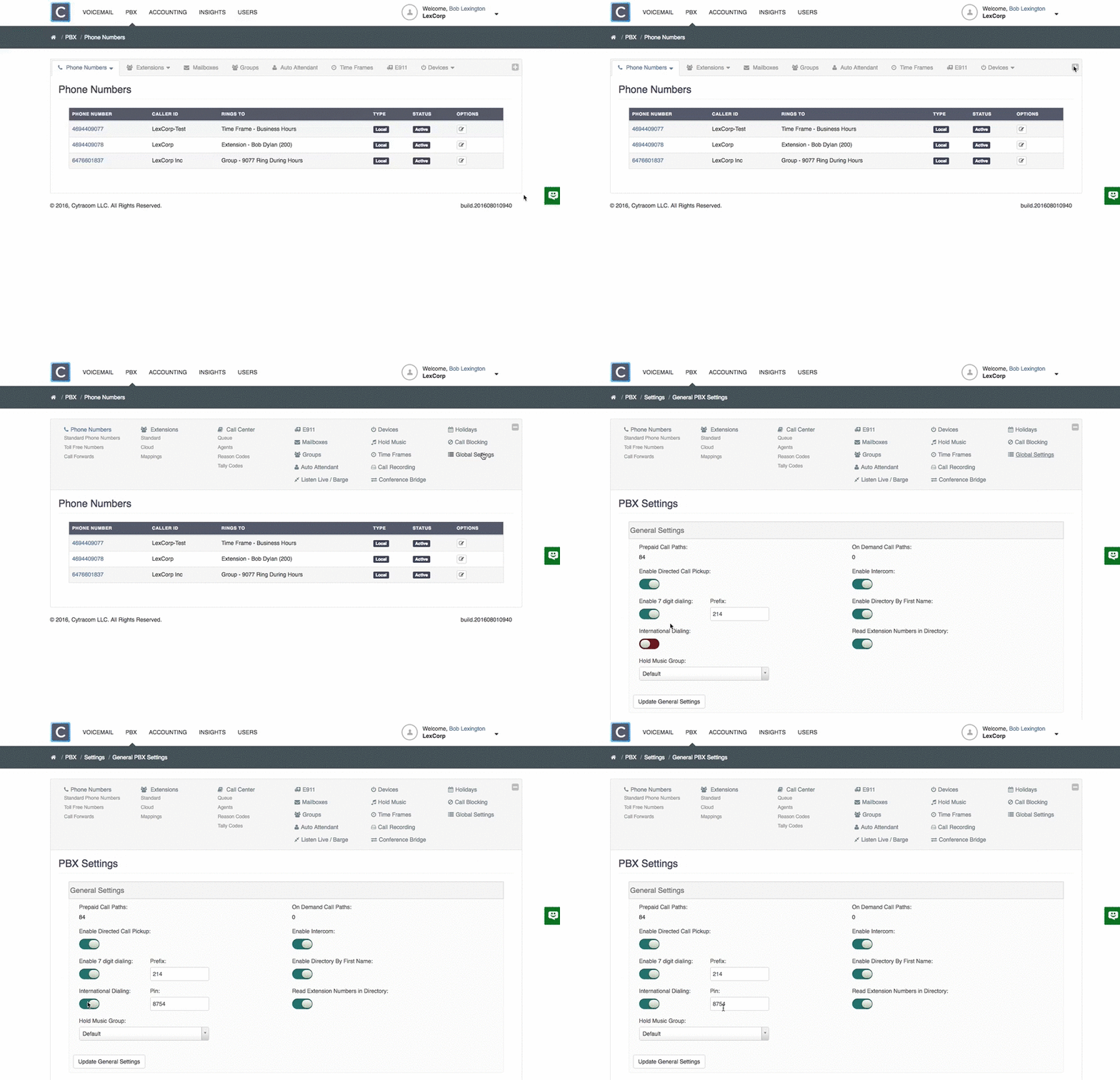
- Log in to the portal at secure.cytracom.net
- Click on
PBX - Expand the menu, and select
Global Settingsnear the right - Ensure that the
international dialing toggle is onand the user has the PIN if one is specified. - If changes were made, be sure to click
Update General settings.
Note - Global Settings will only be available to users with admin rights on the account.